Channel Manager vs PMS: Which One Does a Small Property Actually Need?
PMS or channel manager first? A plain comparison for 3–20 room guesthouses, with real scenarios showing when you need one, both, or neither yet.
If you've started looking at software for your guesthouse, you've probably hit this question: do I need a PMS, a channel manager, or both?
Software companies don't always make it easier. Some call everything a "hotel management system." Others bundle five products into one price. And a lot of advice online is written for 100-room hotels that obviously need everything.
Here's the plain version for a 3–20 room property.
The one-sentence difference
- A PMS (property management system) is where your bookings live: the room calendar, reservations, guests and payments.
- A channel manager keeps your OTA calendars in sync, so when a room is booked on Booking.com it closes on Agoda and Airbnb too.
A PMS is about running your property. A channel manager is about distributing your rooms to online platforms without double booking them.
If you want the longer explanation of a PMS, see What Is a PMS?.
Side-by-side comparison
| PMS | Channel manager | |
|---|---|---|
| Main job | Record and manage every booking, room, guest and payment | Sync availability (and often rates) across OTAs |
| Problem it solves | "I don't have one reliable record of what's booked and paid" | "I'm updating 3 extranets by hand and afraid of double bookings" |
| Handles walk-ins & Messenger bookings | Yes | Not by itself. It needs a place to put them, which is usually a PMS. |
| Tracks payments & balances | Yes | Usually no |
| Prints receipts | Usually yes | No |
| Talks to Booking.com / Agoda / Airbnb | Not on its own | Yes, that's its whole job |
| Useful with zero OTAs | Yes | No |
| Useful with one OTA | Yes | Limited. There's nothing to sync against except your direct bookings. |
| Useful with 2+ OTAs | Yes | Very |
Why they're often sold together
Picture a channel manager on its own. A guest books Room 3 on Agoda, and the channel manager closes Room 3 on Booking.com and Airbnb.
Then a walk-in arrives and you give them Room 5. Unless you tell the channel manager, Room 5 is still open on every OTA. So you need a place to record walk-ins and Messenger bookings that the channel manager can see. That place is a PMS.
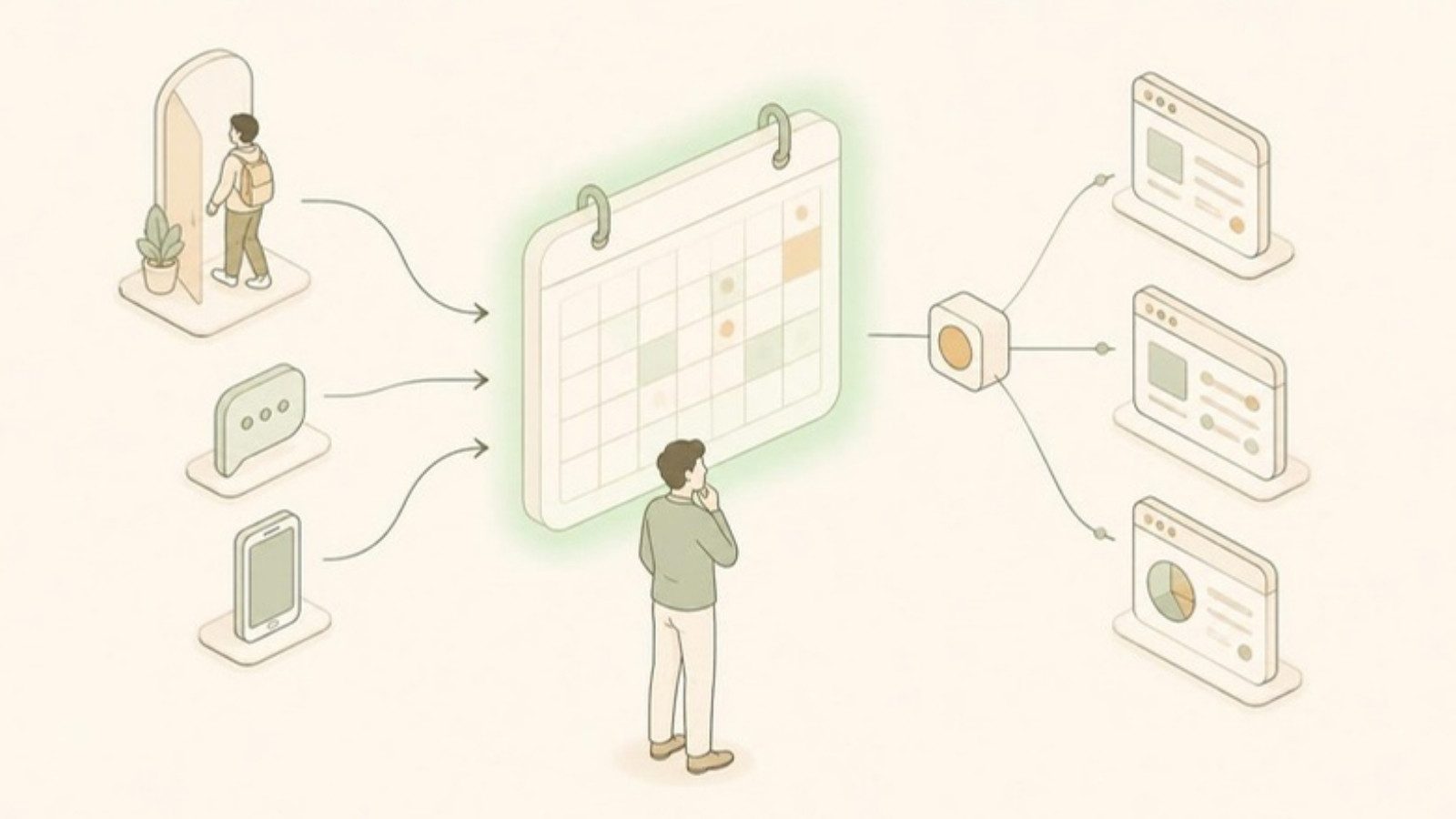
That's why the usual setup is PMS in the middle, channel manager connecting it to the OTAs. Every booking, from any source, lands in the PMS, and the channel manager pushes the updated availability out.
Which one first? Four common scenarios
Scenario A: 4-room pension house in Cebu City. Walk-ins, regulars who text, Messenger inquiries, and Booking.com for occasional out-of-town guests. → PMS first. With one OTA, closing a room on Booking.com when a walk-in arrives takes a minute. The bigger risk is losing track of who's in which room and who still owes.
Scenario B: 10-room beach resort in Bantayan or Siquijor. Booking.com, Agoda and Airbnb, plus Messenger and walk-ins. Very busy around Holy Week and Christmas, quiet in the rainy season. → Both. With three OTAs and peak seasons where bookings arrive fast, manual syncing is where double bookings come from. A PMS alone gives you a clean record but still leaves you updating three extranets by hand.
Scenario C: 2 private villas listed on Airbnb and Booking.com. → Maybe neither yet. Airbnb supports iCal calendar sync, and Booking.com offers it for many villa and home listings. For two units, that plus a simple calendar may be enough. We explain the limits of iCal in How to Manage Booking.com, Agoda, and Airbnb at the Same Time.
Scenario D: 7-room guesthouse, mostly Messenger and Facebook bookings, thinking about joining Agoda. → PMS now, channel manager when you add the second OTA. Get the master calendar right first. Adding OTA sync on top of a messy system just syncs the mess.
A simple decision rule
- 0–1 OTAs: a PMS (or a good spreadsheet) is enough. A channel manager is optional.
- 2+ OTAs and fewer than a handful of OTA bookings a week: a PMS plus disciplined manual updates can work. Watch for near misses.
- 2+ OTAs and steady OTA bookings, or a busy peak season: get both.
- Any number of OTAs and you've already had a double booking: get both. One prevented double booking in peak season often covers months of the subscription.
For a fuller look at what a channel manager changes day to day, see 7 Benefits of a Channel Manager for Small Property Owners.
Things to check before you buy either
- Do they connect? If you buy a PMS and a channel manager from different companies, confirm they integrate, and ask what happens when the connection fails.
- Which OTAs are supported? For the Philippines, Booking.com and Agoda are the minimum. Airbnb and Expedia matter for some properties.
- Is the channel manager an official connection or just iCal? Some cheaper "sync" tools only use calendar links, which can lag by hours.
- How is it priced? Per room, per property, or per channel? Billed in pesos or dollars?
- Can you start with one and add the other later? You shouldn't have to switch systems when you grow.
Our buyer's guide to hotel management software in the Philippines has the full checklist.
How GoOverbooked splits it
GoOverbooked is built the way this article recommends: the PMS in the middle, with the channel manager as an option on top.
- The PMS is free. Room calendar, reservations from every source, guest records, payment tracking, receipts, reports and staff accounts. No trial period, no credit card.
- The Channel Manager is a paid add-on at ₱2,000 a month. It connects Booking.com, Agoda, Airbnb and Expedia, so a booking on one blocks the room on the others, and it comes with a 14-day free trial.
So a Scenario A pension house can use the free PMS and never pay anything, and a Scenario B resort can turn on the channel manager when it needs it, without switching systems. It was built by someone running a 9-room guesthouse in Bantayan who went through exactly this decision.
You can try the demo to see the PMS side with sample data, or check the pricing page for the add-ons.
Free to start
Run your hotel without the headaches.
Try the live demo in 30 seconds. No signup needed.